
Shopping Cart
There are no more items in your cart


PrestaShop 9.1 is available: Hummingbird 2.0 as the default theme, multi-shipping, and a new discount system
PrestaShop 9.1 is now available, the first minor version of the 9.x branch. The most significant news is the adoption of Hummingbird 2.0 as the default front office theme, built on Bootstrap 5 and compliant with the European Accessibility Act (EAA). The version also introduces two high-impact experimental features: multi-shipping management and a completely redesigned discount system, along with support for PHP 8.5 and new hooks for developers.
Read more
Security Notice - digital skimmer - for PrestaShop stores
PrestaShop has recently identified a concrete security threat that has affected some online stores. It is a malware called "digital skimmer" that can steal your customers' payment data if it is present on your site.
Read more
PrestaShop 9 is finally here: is it worth updating now?
Finally, PrestaShop 9 arrives, an important step for the progress of the entire e-commerce platform. With the adoption of Symfony 6.4, the implementation of Smarty 4, and the release of a new Admin API built on API Platform, this version is expected to provide better optimizations, enhanced security, and a more robust technical foundation for the future.
Read more
PrestaShop Autoupgrade 7.0: a new assistant to update your shop
Version 7.0 of the Autoupgrade module marks an important evolution in the PrestaShop world. More than just a simple update, it is a true transformation of the module that has been known for years as "1-Click Upgrade". Today it changes its name, graphic design, and approach: the Update Assistant is born, a tool designed to offer a more intuitive, modern, and efficient experience for anyone managing an e-commerce based on PrestaShop.
Read more
Optimize the crawling budget of Prestashop: pay attention to the ps_facetedsearch module
Prestashop is one of the most widely used e-commerce platforms in the world, appreciated for its flexibility and the ease with which it allows the management of online stores. However, those who manage a store based on Prestashop often encounter indexing issues and crawling budget optimization problems, especially when using complex modules like ps_facetedsearch.
Read more
Management of Order States in PrestaShop
The management of order statuses in PrestaShop 8 is a fundamental aspect for the effective administration of orders and product availability. This article explains how to create, modify, and use order statuses, as well as their relationship with product quantities.
Read more
How to translate emails in PrestaShop using overrides in the active theme
Customizing emails in PrestaShop is essential to provide a consistent and professional experience for customers. In this guide, we will see how to translate and modify email templates using the override system in the active theme folder (for example, a child theme), how to manage emails related to modules, and why it is beneficial to use this strategy.
Read more
Access to the database from the back-end of PrestaShop
PrestaShop offers integrated tools to interact with the database directly from the back-end, without the need to access external software like phpMyAdmin.
Read more
Why does PrestaShop use a prefix for tables?
PrestaShop uses a prefix system for database tables (e.g., ps_) to identify the tables that belong to its installation. This prefix is defined during the initial configuration of PrestaShop and is customizable by the user.
Read more
How Prestashop manages the quantity of products
PrestaShop 8 manages the quantity of products through the stock_available table, which is the central point for tracking the available quantities for each product and combination (if the product has attributes). Let's look at the details of how it works and some practical examples.
Read more
Backup of the PrestaShop Database: Easy Guide Through Backend and Plesk
In the world of e-commerce, protecting your data is essential. In this article, I will show you how to back up your PrestaShop store's database using two quick and secure methods: directly from the PrestaShop backend and through the Plesk control panel.
Read more
SEO and URL Management: Is it worth removing product IDs?
This compact guide will primarily explore SEO and URL management in PrestaShop, but many of the concepts presented are applicable to any CMS. We will delve into how PrestaShop creates URLs for categories and products and discuss strategies for effectively optimizing them.
Read more
Fast Checkout Module: guide to the fast checkout system for ecommerce
Discover our checkout system that allows you to synchronize sales in the physical store with ecommerce in PrestaShop. The Fast Checkout module allows you to quickly create an order in PrestaShop in just a few seconds, even using a barcode scanner, so you can update stock quantities in real time and enable your customers to retrieve the order, thus synchronizing in-store purchases with promotions and marketing activities of the online store.
Read more
PrestaShop 8.1 available for testing
PrestaShop 8.1 is now in beta and ready to be tested. This version fixes over 30 bugs found in the previous version and introduces many improvements and new features.
Read more
How to enable geolocation in PrestaShop 1.7?
Activating geolocation in PrestaShop 1.7 has required since 2019 to register on maxmind and download the related GeoLite2-City package. This package must be uploaded via FTP to the folder /app/Resources/geoip/ and kept updated.
Read more
Use CloudFlare with PrestaShop
CloudFlare is a great service that, even in the free version, can mitigate many threats and reduce spam traffic, very useful for e-commerce that sells abroad thanks to the distributed DNS, which operate as a reverse proxy making the response of our store in PrestaShop more responsive.
Read more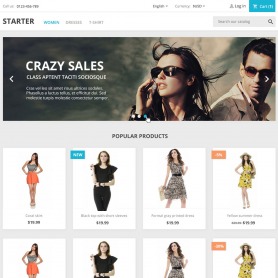
PrestaShop Templates: Discover the free alternatives to the classic theme
If you are looking for high-performance alternatives to the Classic theme of PrestaShop, you are in the right place. In this article, we will explore some of the best free PrestaShop templates that can serve as valid alternatives to the Classic theme.
Read more
PrestaShop how to import from CSV, XML or EXCEL file
An operation that is often vital not only in the field of dropshipping but also when it is often the only possible way to import and synchronize our catalog with our management system. PrestaShop has its own native function for data import, but it is very limited. While the APIs of PrestaShop are more complex and intended for developers.
Read more
How to migrate PrestaShop from local to remote with a domain change
In this video guide, we will see the necessary steps to migrate PrestaShop from a local installation or another hosting to a new remote vhost with a corresponding domain change. The procedure is not complex, but some manual steps are required to be performed once the database and the files that make up our ecommerce have been transferred.
Read more