
Shopping Cart
There are no more items in your cart
- Tecnoacquisti.com
- Online Security Blog
 Two-Factor Authentication (2FA): a standard under the lens of real-world operations
In recent years, two-factor authentication (2FA) – and more generally multifactor authentication (MFA) – has established itself as a security best practice for any IT system exposed to the risk of unauthorized access. Its adoption is now recommended or required by regulations (GDPR, PCI-DSS) and corporate policies, especially in the e-commerce and administrative sectors.
However, the operational reality of companies, web agencies, and providers managing dozens or hundreds of PrestaShop installations reveals a more complex picture: while 2FA significantly elevates the level of security, it can also introduce significant friction in daily workflows, generating management problems, hidden costs, and – in the worst cases – a decrease in actual security due to workarounds and deactivations.
2FA, MFA and their variations: a technical overview
Two-factor authentication is based on the assumption that access security improves if, in addition to the password, an additional factor is required: something the user possesses (physical token, smartphone), knows (PIN, answer to a secret question), or is (fingerprint, biometrics).
Main types of 2FA/MFA
- TOTP (Time-based One Time Password): Based on apps like Google Authenticator, Authy, or similar, which generate temporary codes synchronized with a shared secret.
- SMS: Sending a one-time code via SMS. Today considered vulnerable to SIM swap and MITM attacks.
- Push notification: Access confirmation via notification on a mobile app (e.g., Microsoft Authenticator), often with "approve" or "deny" mechanisms.
- Passkeys: Emerging standard that uses cryptographic keys and biometric devices, with advantages but also adoption and compatibility limits.
Why it is a security standard
2FA drastically reduces the risk of compromise in case of credential theft. However, in real contexts, its traditional implementation presents often underestimated criticalities, especially in management systems, in multi-tenant environments like PrestaShop, and in typical workflows of agencies and providers.
Operational criticalities of 2FA in PrestaShop systems and professional environments
Security friction and productivity loss
Security friction represents the main obstacle to the widespread adoption of 2FA in professional environments: slowed login processes, the need to always have the device for the second factor available, and the continuous request for codes generate stress and slowdowns, especially when managing dozens of PrestaShop installations or working in multi-shop mode.
Onboarding and offboarding issues
The management of temporary access (external developers, consultants) and the rapid revocation of permissions are critical: setting up 2FA for each account, especially in case of frequent turnover, can become cumbersome and a source of errors (e.g., non-shared TOTP secrets, lost codes, difficulties in controlled deactivation).
Complex management for agencies and multi-shop
Agencies managing multiple clients often find themselves having to manage dozens of accounts on multiple PrestaShop installations, with distributed teams and collaborators alternating between office and remote work. In these scenarios, centralized 2FA management quickly becomes unsustainable without specific tools.
Device loss and helpdesk costs
One of the most concrete limits of traditional 2FA is the risk of losing or breaking the authentication device (smartphone, hardware token). Restoring TOTP secrets or urgent deactivation generates a load on technical support, with direct impacts on productivity and costs.
MFA fatigue and push bombing
The abuse of authentication requests (push bombing) and the so-called MFA fatigue can lead users to confirm fraudulent requests out of fatigue or inattention, effectively nullifying the theoretical security introduced by the second factor.
Limits of the "trusted" network concept
Many traditional 2FA solutions provide IP whitelists or "trusted" networks to bypass the second factor. However, the dynamism of modern work environments (smartworking, VPN, mobile access) makes this concept fragile and easily circumvented if not managed with contextual logic and advanced monitoring.
Why many companies disable or bypass 2FA
Faced with management complexity and impact on productivity, many companies end up lowering the security level: disabling 2FA for "trusted" users, insecurely sharing TOTP secrets, using generic accounts, or systematic bypasses.
The conflict between theoretical security and practical usability
The theoretical security of 2FA often clashes with the need to maintain agile workflows, especially in agency, SMB, and multi-shop contexts. Real adoption depends on the ability to reduce operational friction without sacrificing protection from unauthorized access.
Modern approaches: Adaptive Authentication, Trusted IP, and Zero Trust
Adaptive authentication and contextual authentication
Next-generation solutions focus on adaptive authentication models, which assess risk based on context: geographic location, device used, time, historical behavior. In this scenario, the second factor is not always required but only in the presence of high-risk signals.
Trusted IP and intelligent whitelists
Advanced management of trusted IPs allows balancing security and usability: in the presence of recognized addresses, 2FA can be bypassed in a controlled manner, while for access from unusual networks, alerts and requests for strengthened authentication are triggered.
Zero Trust: advantages and limits for SMBs and agencies
The Zero Trust approach ("never trust, always verify") represents a reference for modern security, but its full application is often out of scale for SMBs or agencies managing dozens of PrestaShop. An intelligent compromise between granular control and operational sustainability is needed.
Admin Login Monitor for PrestaShop: a solution oriented to real workflows
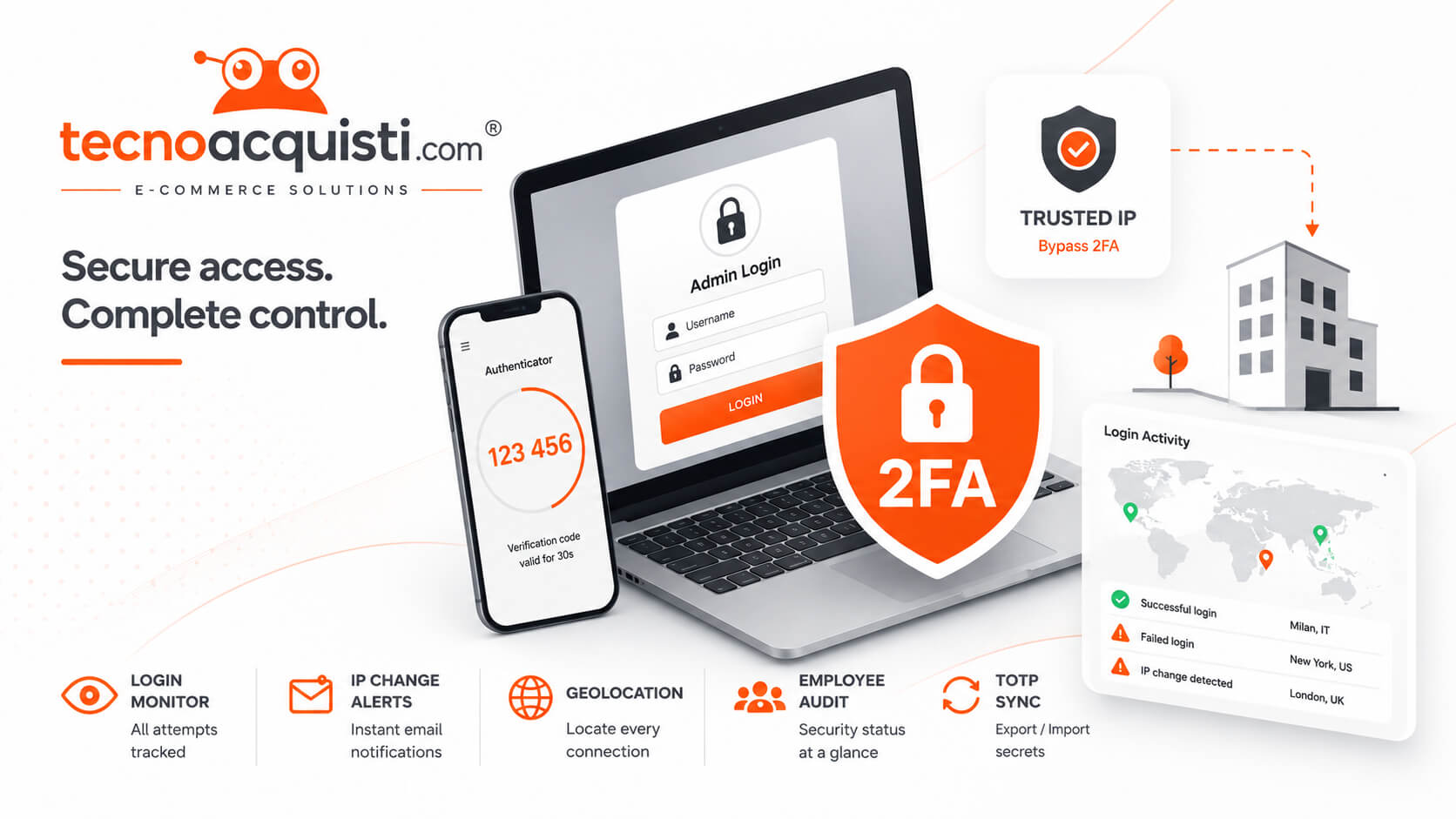
To pragmatically address the criticalities described above, Tecnoacquisti has developed the Admin Login Monitor for PrestaShop module, specifically designed for complex environments, distributed teams, and multi-shop.
Comprehensive Back Office access monitoring
The module records every login attempt to the Back Office, both successful and failed, offering total visibility on administrative activities and facilitating the identification of suspicious patterns.
IP change alerts and access geolocation
Every IP address change is tracked: the administrator receives automatic alerts in case of access from unusual locations, with detailed geolocation data. This reduces the risk of invisible compromise and allows for quick reactions to intrusion attempts.
Employee Audit and security dashboard
The system generates a complete audit trail for each employee or collaborator, with centralized reporting and a security dashboard that clearly exposes the risk status, suspicious logins, and actions to be taken.
Integrated TOTP 2FA and intelligent secret management
The TOTP 2FA is natively integrated, but with advanced features designed for agencies and technical teams: export/import of secrets for controlled sharing across multiple PrestaShop installations, simple management of temporary access, and quick recovery in case of lost device.
Trusted IP whitelist and intelligent bypass
Thanks to advanced trusted IP management, 2FA can be automatically bypassed for access from company offices or internal networks, reducing operational friction without compromising security. Access from unrecognized networks instead activates the request for the second factor and/or customizable alerts.
Audit, GeoIP log, and multi-shop management
The ability to export logs, track the geolocation of each access, and centrally manage security policies makes this module ideal for multi-shop environments, where cross-visibility on access is essential to prevent incidents.
Balance between security and productivity
The real advantage of Admin Login Monitor lies in its pragmatic approach: it does not promise absolute security but offers tools to increase the real adoption of 2FA while minimizing user discomfort. In this way, security is not perceived as an obstacle but as a support to business workflows.
Integrable tools for advanced security on PrestaShop
For a multi-level security approach, it is advisable to also integrate other specific modules for PrestaShop:
- PrestaShop Security & Bot Shield: protects the store from malicious bots, AI scrapers, and cyber attacks, blocking suspicious access and spammers also through IP blacklist and integration with AbuseIPDB.
- Register User IP: tracks and monitors IP addresses associated with orders, carts, and customer registrations, providing useful data for identifying suspicious activities and forensic analysis in case of incidents.
Frequently asked questions about 2FA management in PrestaShop environments
Is 2FA on PrestaShop legally mandatory?
There is currently no specific legal obligation for 2FA on PrestaShop, but regulations like GDPR and PCI-DSS require the adoption of technical and organizational measures appropriate to the risk. 2FA is strongly recommended.
Can I manage TOTP secrets across multiple stores?
Yes, the Admin Login Monitor module allows controlled export/import of TOTP secrets, facilitating centralized management in multi-shop environments.
How to manage temporary access for external consultants?
It is possible to enable 2FA only for the necessary duration, revoking the secret at the end of the collaboration and monitoring each login through detailed reporting.
What happens if I lose the 2FA device?
With Admin Login Monitor, it is possible to quickly restore TOTP secrets, reducing downtime and the load on technical support.
Conclusions: real security through pragmatic solutions
The path to truly effective PrestaShop Back Office security cannot ignore a careful evaluation of the operational criticalities introduced by traditional 2FA. Only tools designed for the real workflows of agencies, providers, and multi-shop – like Admin Login Monitor – allow balancing protection and productivity, promoting a widespread and sustainable security culture. The adoption of integrative modules like Security & Bot Shield and Register User IP completes the picture, offering a concrete response to the needs of modern companies.